dh2323-atmospheric-scattering
DH2323 Project Blog — Atmospheric Scattering Planet Renderer
Course: DH2323 Computer Graphics and Interaction, KTH Royal Institute of Technology
Group members: Ma Jinlin and Rajadharshini Nedumaran
Target grade: B
Welcome to our project blog! We are two exchange students at KTH building a planet renderer from scratch in Python that simulates how sunlight scatters through a planetary atmosphere. Think of it as recreating what Earth looks like from space, with a glowing blue halo and orange-red sunsets, all computed mathematically without any game engine or GPU.
We will be updating this blog as we go, so check back for progress updates, screenshots, and notes on what we learned along the way.
1 May 2026
We officially kicked off the project today! After going back and forth on a few ideas, we settled on atmospheric scattering because it has a strong academic paper behind it (Nishita et al., SIGGRAPH 1993) and the visual results are genuinely beautiful. It felt like something we would actually enjoy working on rather than just getting through.
Today was mostly setup. We got the GitHub repository going, wrote our project specification, and submitted it on Canvas. Ma Jinlin is taking on the core rendering pipeline and Rajadharshini will handle the scattering colours, surface improvements, and report writing.
What we got done:
- GitHub repository created and blog set up
- Project specification submitted on Canvas
- Python environment ready with numpy, pygame and matplotlib
3 May 2026
Ma Jinlin started on the actual code today. The first thing to build was the camera system. For every single pixel on screen, the renderer needs to figure out which direction a ray should travel from the camera into the scene. Getting this right is important because everything else depends on it.
The ray-sphere intersection function was also written today. This is the maths that figures out exactly where a ray hits the planet surface or the atmosphere shell. It is essentially solving a quadratic equation, which sounds simple but took a bit of careful implementation to get right especially handling the edge cases.
Files done:
- camera.py
- Ray-sphere intersection inside atmosphere.py
5 May 2026
Today was the big one. The ray marching loop was implemented, which is the heart of the entire renderer. The idea is that instead of computing light analytically, you step along each ray in small increments and at each step you ask how much sunlight is scattering towards the camera from that point in the atmosphere.
The atmospheric density function was also completed. This models how the atmosphere gets thinner with altitude using an exponential falloff, which matches the physical reality pretty closely.
The planet surface shading was also added today, including the land, ocean and snow cap colours. Seeing the planet look like an actual Earth for the first time was a nice moment.
Files done:
- atmosphere.py fully completed
- planet.py completed
7 May 2026
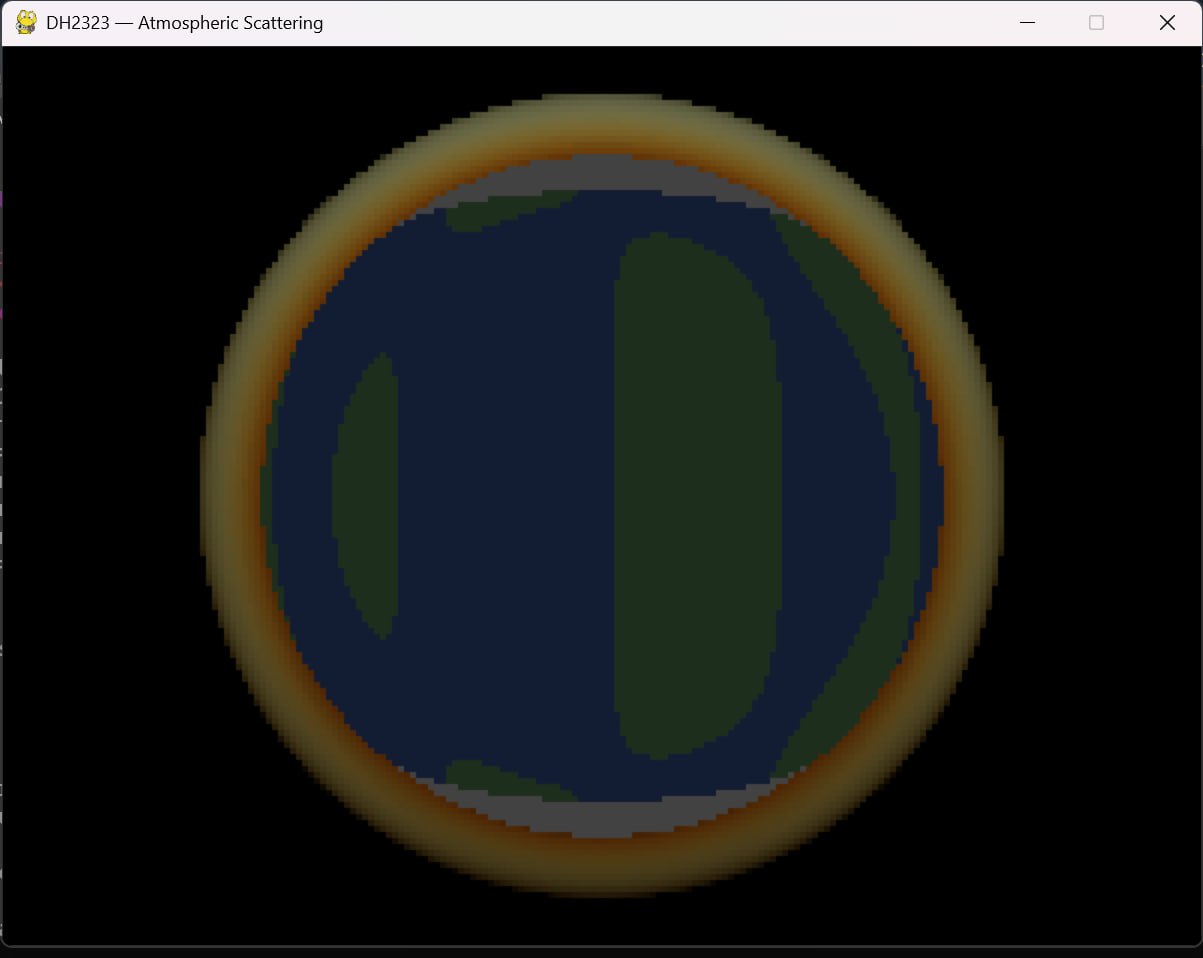
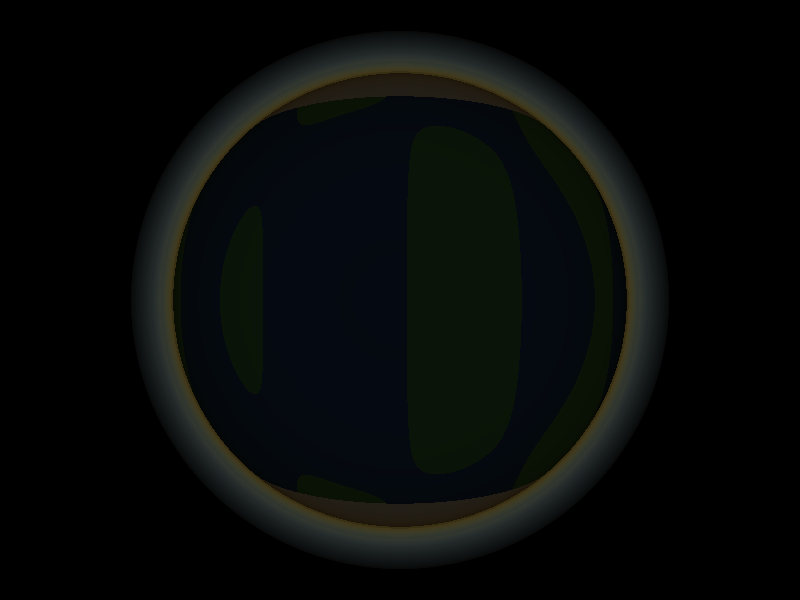
First visual output today! The planet rendered for the first time with the atmosphere visible. It was pixelated at this stage since we were running at low resolution for speed, but you could clearly see the blue ocean, green land, white snow caps at the poles, and a blue atmospheric glow around the edges.
The pygame interactive window was also completed, so you can now rotate the camera around the planet using the arrow keys. Pressing R saves a high resolution version to disk.
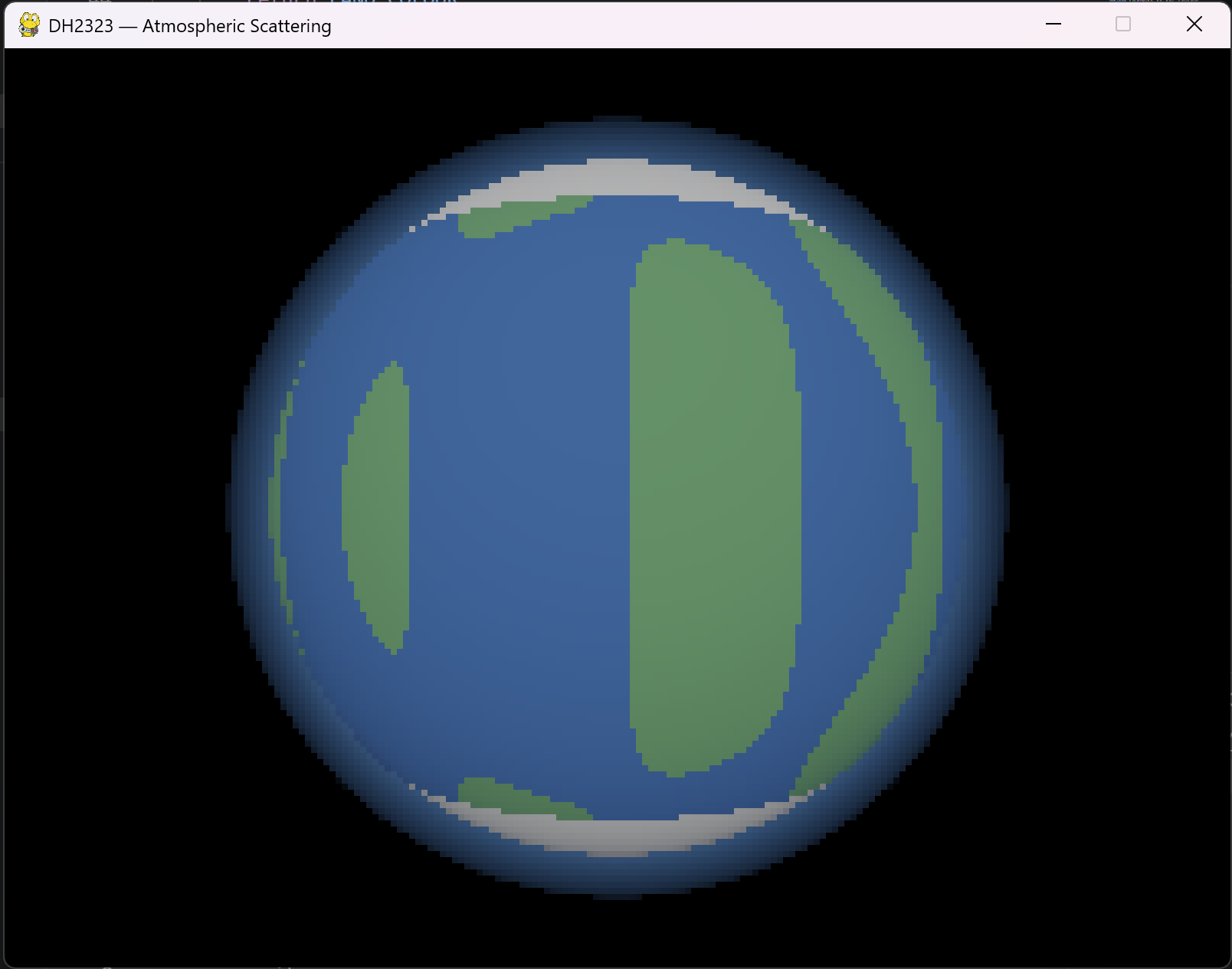
One issue spotted today was that the atmospheric glow was uniform all around the planet regardless of where the sun was pointing. That was going to be the next thing to fix.
8 May 2026
Fixed the atmosphere bug from yesterday. The glow was not responding to the sun direction at all, so the planet looked equally bright all around which is not realistic.
The fix was to compute a sun-facing factor at each step of the ray march, using the dot product of the outward surface normal with the sun direction. This way, points on the dark side of the planet contribute very little to the glow and the bright halo only appears on the side facing the sun.
After the fix the planet looks much more like how Earth actually appears from the ISS, with a clear lit hemisphere and a dark night side. We were pretty happy with how it turned out.
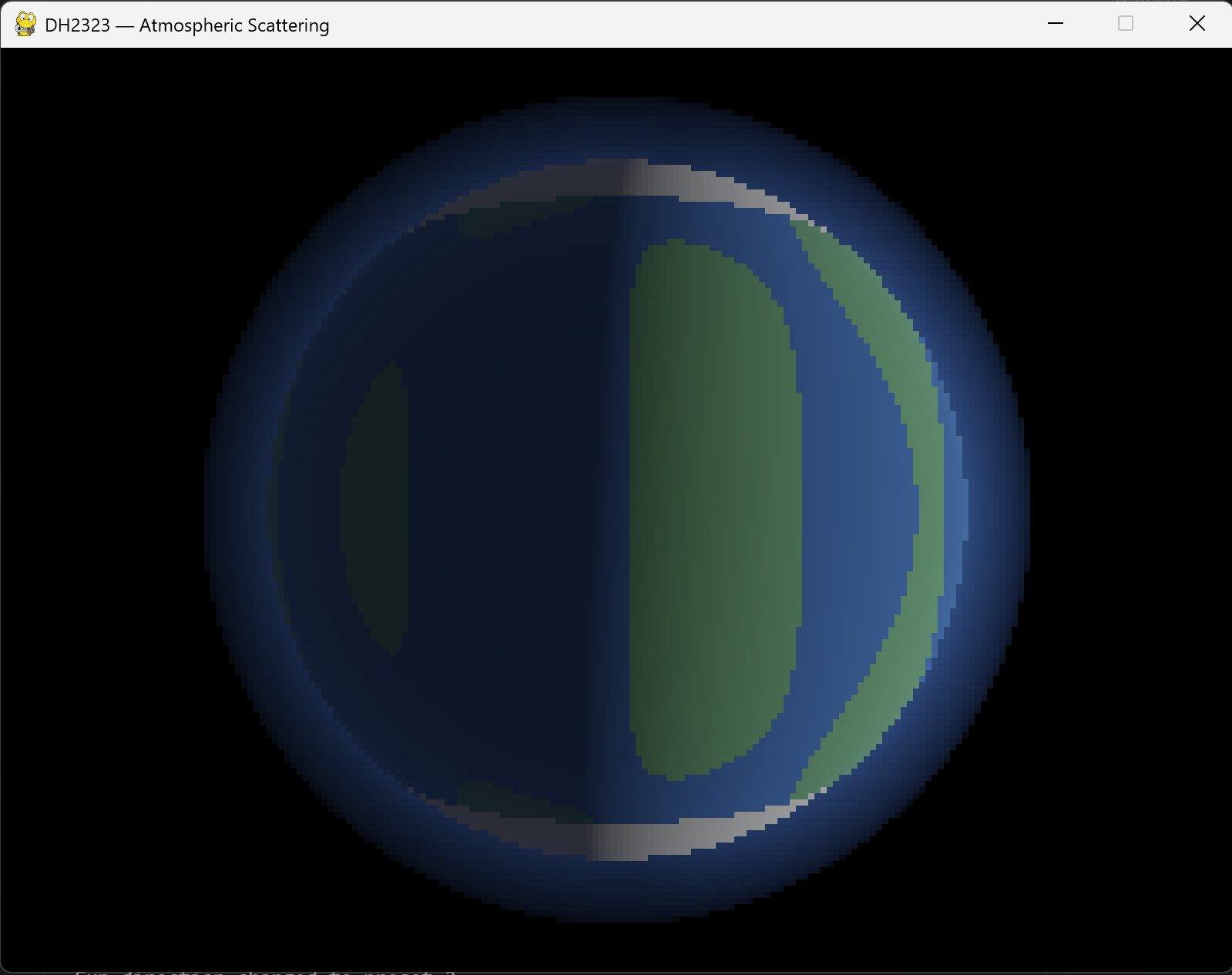
The core renderer is now done and pushed to GitHub for Rajadharshini to pick up from here.
10 May 2026
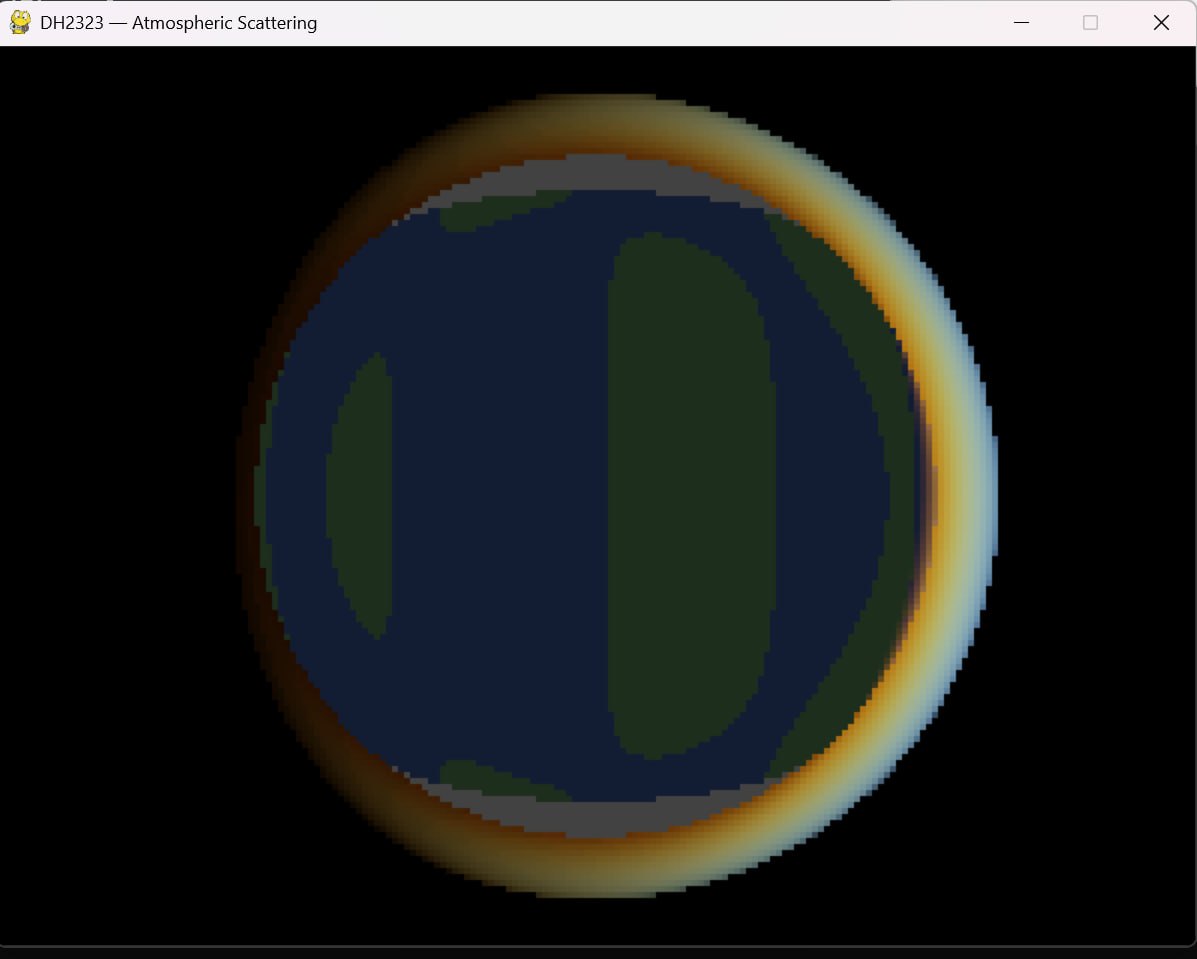
Rajadharshini pulled the code from GitHub and started working on improving the scattering colours. The Rayleigh scattering coefficients were tuned carefully based on the physical wavelengths of red, green and blue light. Blue scatters about 5.5 times more than red, which is exactly what makes the sky blue and sunsets orange in real life.
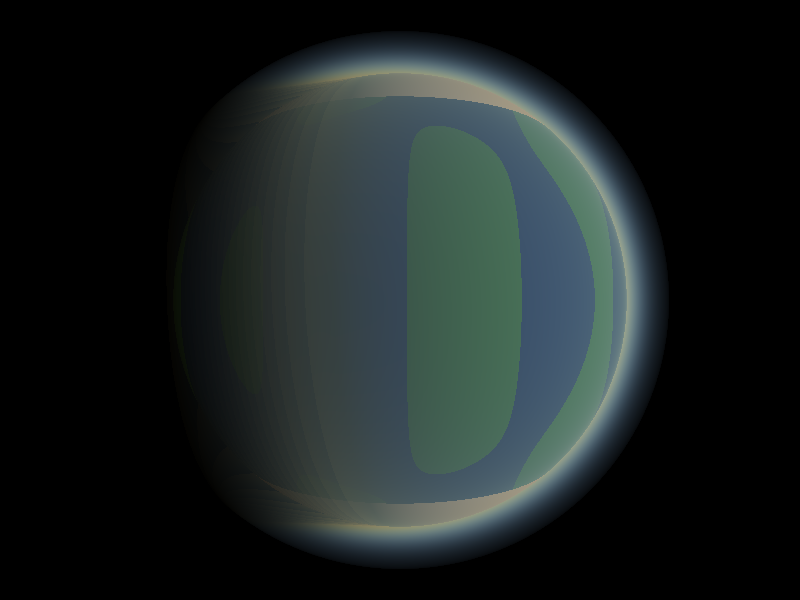
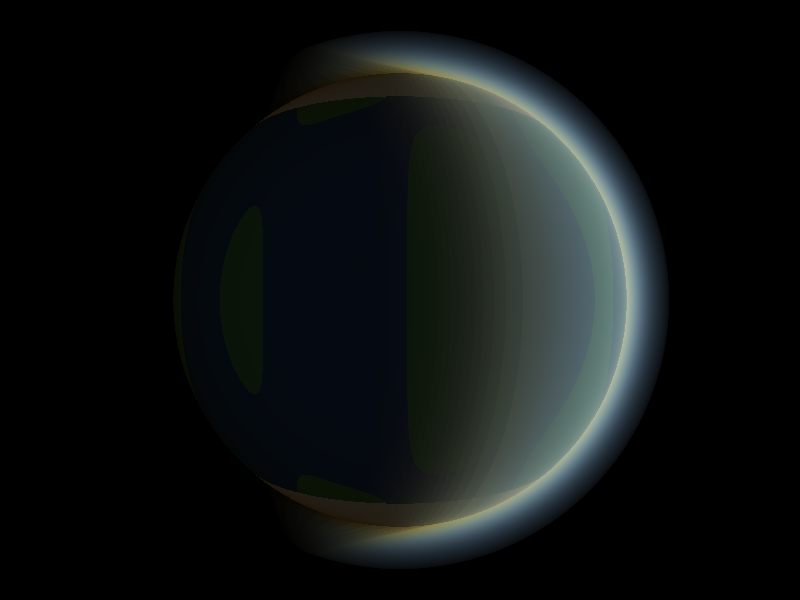
The sun direction presets were also improved to get more dramatic colour shifts between the different views. The sunset preset now shows a clear warm orange tint on the atmospheric limb which looks much more convincing.
11 May 2026
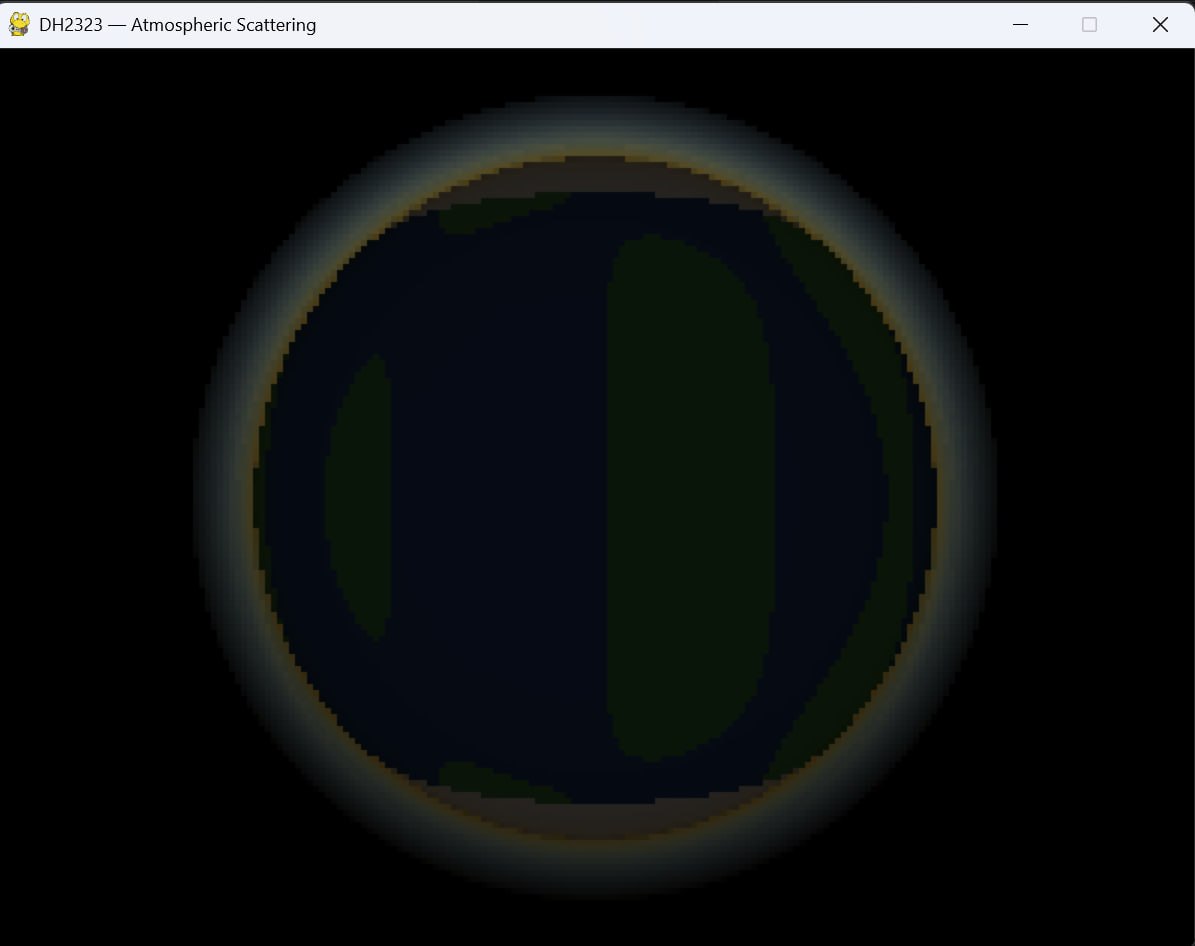
With the base colours working, we experimented with the atmosphere shell thickness by varying the scale height parameter. This controls how quickly the atmosphere thins out with altitude, and the visual difference is dramatic.
A very small scale height gives the planet a razor thin sharp halo sitting tightly around the surface. A large value creates a wide, soft glow that almost swallows the planet entirely. Getting this value right was important because too thin looks unrealistic and too thick obscures the surface detail underneath.
12 May 2026
Today we implemented Mie scattering as an extension on top of the existing Rayleigh scattering. While Rayleigh accounts for the blue sky colour from air molecules, Mie scattering deals with larger particles like dust and water droplets. We used the Henyey-Greenstein phase function to model how strongly it directs light forward towards the viewer, producing the bright halo effect you typically see around the sun near the horizon.
After testing both versions side by side we actually decided to go with the version without Mie scattering for our final result. The Mie version produced a halo that was noticeably too bright and too large, making the planet look overexposed around the limb. The Rayleigh-only version looked cleaner and more physically convincing for a planet viewed from outer space.
The two demo videos below show the planet rotating under each configuration so the difference is easy to compare.
Demo without Mie scattering Demo with Mie scattering
14 May 2026
Report writing day. We split the sections between us and worked through it. One thing that surprised us was how much there was to say about the implementation once we sat down to write it. There were quite a few small decisions made along the way that were worth explaining properly.
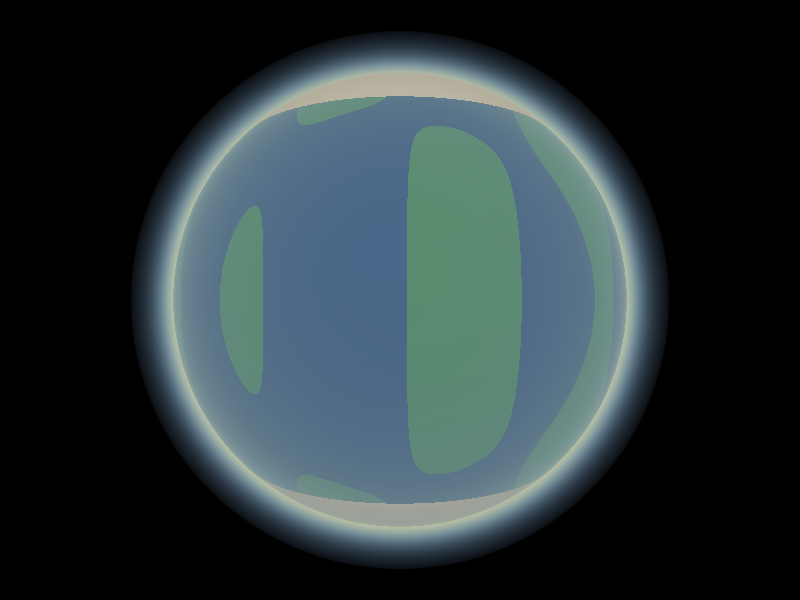
Final high resolution renders were saved today across all four sun direction presets using the Rayleigh-only configuration. These are the definitive output images from the project.
15 May 2026
Final day. We packaged everything up, double checked all the files were in order, and submitted on Canvas. It was a good project to work on. Atmospheric scattering turned out to be more approachable than we expected and the visual results made the effort feel worthwhile.
Thanks for reading along!
References
Nishita, T., Sirai, T., Tadamura, K., and Nakamae, E. (1993). Display of the Earth taking into account atmospheric scattering. Proceedings of SIGGRAPH 1993, ACM, pp. 175-182.
Preetham, A. J., Shirley, P., and Smits, B. (1999). A practical analytic model for daylight. Proceedings of SIGGRAPH 1999, ACM, pp. 91-100.
Bruneton, E., and Neyret, F. (2008). Precomputed atmospheric scattering. Computer Graphics Forum, 27(4), pp. 1079-1086.
Bucholtz, A. (1995). Rayleigh-scattering calculations for the terrestrial atmosphere. Applied Optics, 34(15), pp. 2765-2773.